
LabVIEW is a software from National Instruments (NI) used to control instruments, collect and analyse data. They have just released an important driver update for NI-PAL, a component used by many NI drivers. The update addresses a security vulnerability affecting NI-PAL version 26.3.1 and below.
If you use LabVIEW and installed it manually please install this update as soon as possible. From as early as 10 November 2026, Windows may block affected drivers, which could prevent your NI software or hardware from working.
Before you start, please save your work and close LabVIEW and any other applications using NI hardware. You will need administrator permissions on your computer to install the update. Most users of managed laptops will have administrator rights on their machines, but if you do not, please contact IT Services or visit the walk-up helpdesk, and a technican with admin rights can install this update for you.
If Labview was installed via the Company Portal you do not need to update LabVIEW yourself as this will be done automatically on managed machines.
Open NI Update Service
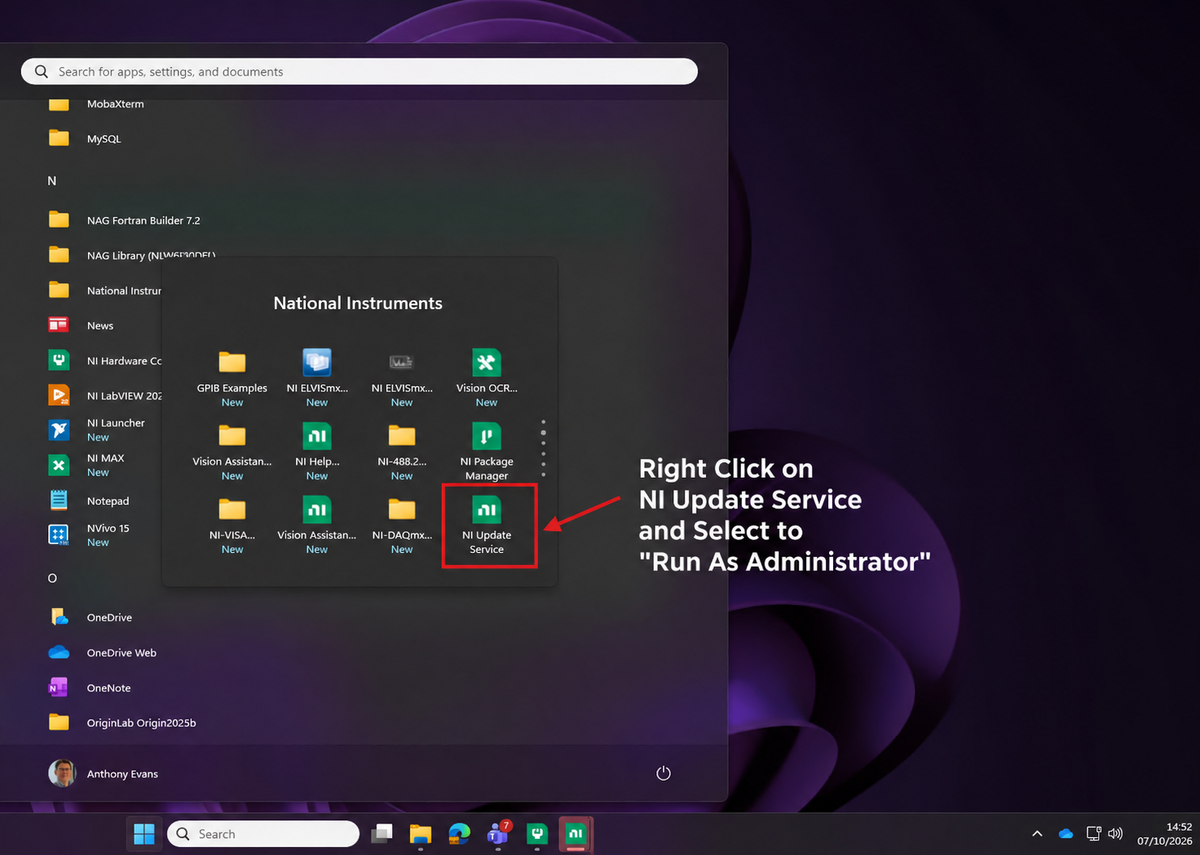
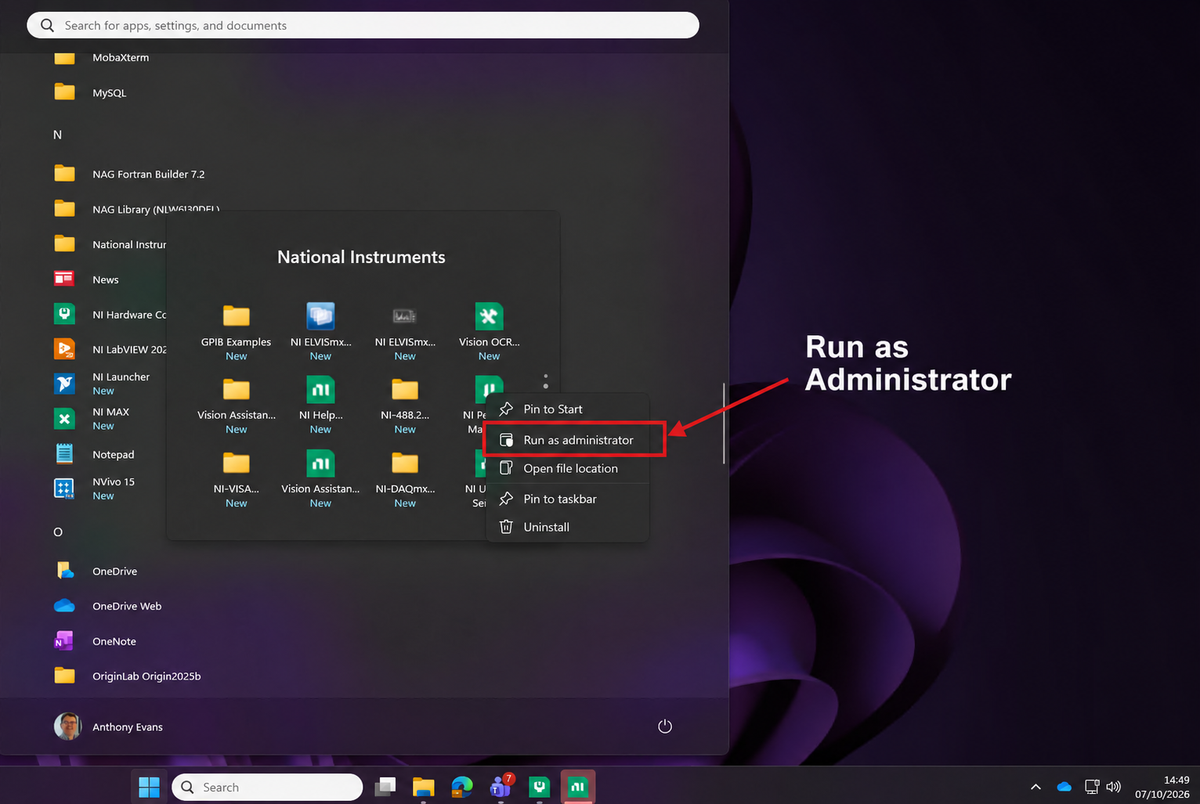
To update your Labview search for "NI Update Service" on Windows Start Menu. Right click on the icon and select "Run as Administrator".
Install the Driver Update
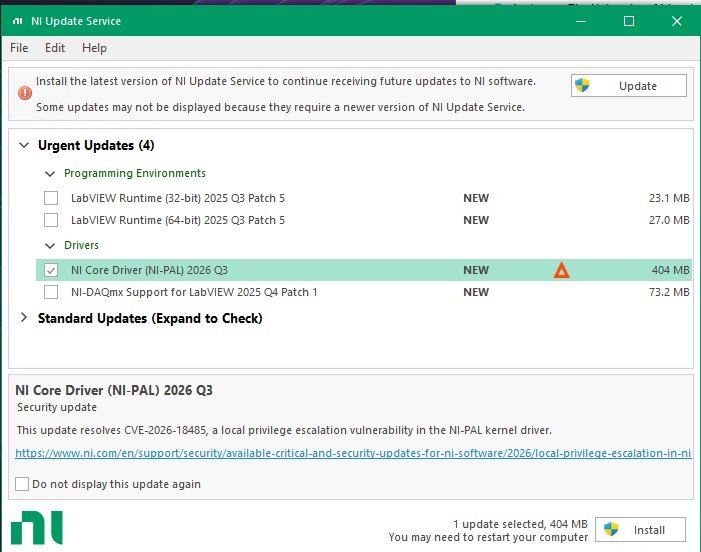
Select the checkbox next to NI Core Driver (NI-PAL) 2026 Q3, then click Install and follow the on-screen instructions. The update will take about 10 minutes to complete.
Need Help?
If you experience problems installing the update or have any questions, please contact Research IT Application Support.